Taxes Panel
The Taxes panel is used to define how taxes are calculated on lease and retail vehicle proposals.

|
The Taxes panel displays on the Proposal Generation Settings screen. To access the Proposal Generation Settings screen, click the |
 (More) icon and then click the Proposal Generation Settings link in the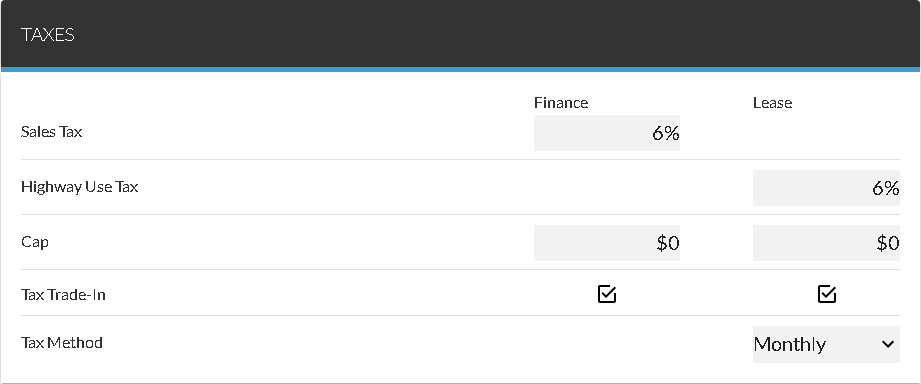
The following items are available in the Taxes panel.
Sales Tax: Enter the percentage of a finance vehicle sale to be charged for sales tax.
Highway Use Tax: Enter the percentage of a lease vehicle sale to be charged for highway use taxes.
Cap - Finance: Enter the tax amount for the capitalized cost reduction for finance vehicle proposals.
Cap - Lease: Enter the tax amount for the capitalized cost reduction for lease vehicle proposals.
Tax Trade-In - Finance: Select this check box to deduct the value of a trade-in vehicle from a finance vehicle deal after calculating the appropriate taxes.
Tax Trade-In - Lease: Select this check box to deduct the value of a trade-in vehicle from a lease vehicle deal after calculating the appropriate taxes.
Tax Method: Select the method by which taxes are applied, such as Monthly or Lump Sum. Click the  (Down Arrow) icon to display a list of valid entries.
Click here for a list of products that may be mentioned in this help file.